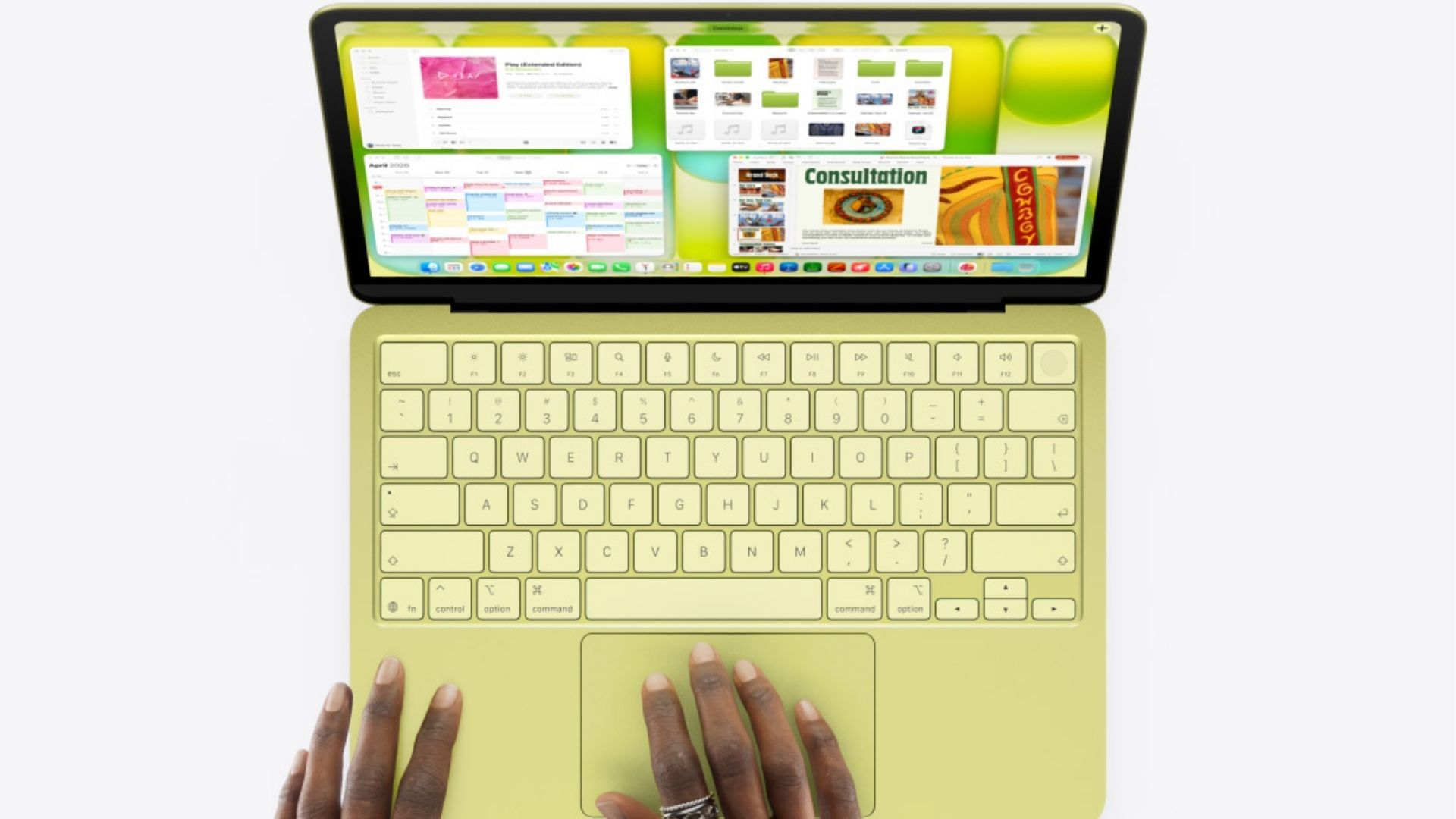
The MacBook Neo launched on March 11, 2026 — Apple's most affordable laptop ever, starting at $599. And the internet is losing its mind. Students, casual users, and budget-conscious Apple fans are rightfully hyped. But here at CXM, we've got one question: is this thing actually for creators?
Short answer? It depends on who you are as a creator. Let's get into it.
Wait — What Even Is the MacBook Neo?
Here's the wild part. The MacBook Neo is the first production Mac to use an A-series chip — the kind found in iPhones — rather than the M-series chips in every other Mac. It's the same chip powering the iPhone 16 Pro.
For years, the cheapest way into the Mac lineup was a $999 laptop. Apple just cut that price nearly in half.
You get a 13-inch Liquid Retina display, up to 16 hours of battery life, Apple Intelligence baked in, a 1080p FaceTime camera, and it comes in four colors: Silver, Blush, Citrus, and Indigo — each with a color-matched keyboard. It weighs 2.7 pounds. It runs full macOS. It's real.
It also happens to be Apple's clearest shot yet at Chromebooks and entry-level Windows laptops. That context matters when sizing up what this machine is — and isn't.
The Creator Question
Apple's messaging on the Neo doesn't really scream "creator." It's aimed at students, families, and people making their first Mac purchase. But that framing undersells something important.
The MacBook Neo doesn't get the latest Apple Silicon, the most RAM, or the best display. But with its A18 Pro chip and the same build of macOS 26 Tahoe as every other Mac, there's a legit case to be made that it might actually be a creator's dream for a certain type of creator.
Key word: certain type.
Who It's Actually For (Creator Edition)
The Social-First Creator
This is where the Neo shines brightest. If your whole operation lives on Instagram, TikTok, YouTube Shorts, and Threads — this machine handles your workflow without breaking a sweat.
For short social videos, the Neo handles editing just fine. It's for longer-form content, where it starts to lag behind more premium devices. If your videos are 60 seconds to three minutes max, you're good.
Final Cut Pro is usable if you're uploading photos and videos from your phone via AirDrop and exporting to Instagram and TikTok — it might just take a bit longer than on a more expensive laptop. That's a completely reasonable trade-off at this price.
The iPhone-First Creator
This might be the Neo's real superpower. A large portion of Gen Z and millennial creators already edit on their phones — CapCut, Edits, and DaVinci. The laptop is secondary.
With iPhone Mirroring, you can open CapCut directly from your iPhone right on the Neo's 13-inch screen — suddenly giving those mobile-first apps a much larger canvas to work on. That's not a workaround. That's a workflow.
The Writer, Podcaster, or Newsletter Creator
No brainer. Is your content output words, audio, or AI-assisted drafts? The Neo doesn't just handle it — it excels. Reviewing the Neo, veteran tech writer John Gruber noted the experience "vastly exceeded" his expectations for a machine he was using for real daily work.
The Photographer
Light-to-moderate photo editing is a yes. Pixelmator Pro runs without issues on the Neo. If you're not exporting dozens of high-res photos through Lightroom at once, you'll probably be fine.
Who Should Look Elsewhere
Some creators should pump the brakes before hitting checkout.
If you're editing long-form YouTube videos, doing serious color grading, running heavy Lightroom catalogs, or producing music with dozens of tracks, the Neo will test your patience. One reviewer's Mac Studio exported a seven-minute video with motion graphics in two minutes. The same export on the MacBook Neo took eleven. That's not a dealbreaker for casual use, but it will add up fast if you're grinding content daily.
And 3D modeling in Blender or similar tools is entirely off the table.
How It Stacks Up Against the Rest of the Lineup
Here's the honest breakdown:
The MacBook Air differentiates itself with more base storage and Apple's new Wi-Fi 7 chip, while the MacBook Pro is positioned for demanding creative workflows with a significantly brighter, higher-end display and longer battery life.
The Neo slots in below both — but it's not embarrassed to be there.
What about the iPad?
The iPad Air with M4 is also newly refreshed and genuinely powerful for creators. But the Neo and iPad serve different use cases. The iPad is tactile-first — great for illustrators, music producers using touchscreen workflows, and creators who want Apple Pencil. The Neo gives you a full keyboard, a real laptop posture, and macOS apps without compromise. They're not really competing. If anything, the dream setup for a social-first creator might actually be both — iPhone + Neo + iPad for sketching.
The Bottom Line
The MacBook Neo isn't trying to be the MacBook Pro. It doesn't need to be. Starting at $599 — or $499 through the education store — it delivers incredible performance and build quality without much compromise. You get a laptop that looks, feels, and performs like a true Apple laptop.
For the creator who's just starting out, grinding their first 10K followers, posting daily content from their phone, writing newsletters, or building an audience on a budget — this machine is a genuine unlock. The Apple ecosystem, Apple Intelligence, and macOS access, priced at $599, is a combination that didn't exist before March 2026.
For the creator who's monetized, producing long-form content, or needs professional-grade export speeds — keep saving for the Air or Pro.
The Neo knows exactly what it is. The question is whether you do.


.png)