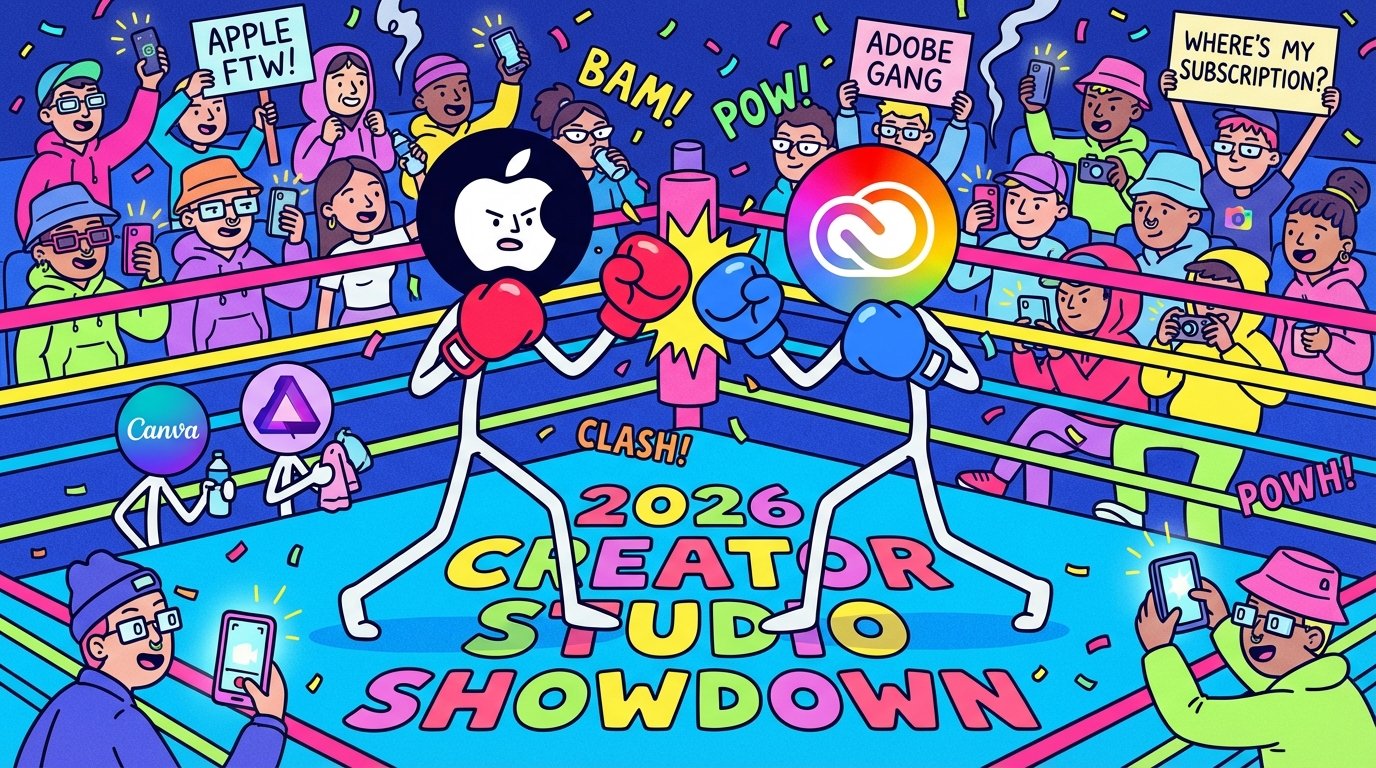
Apple just threw down the gauntlet in the creator software wars. In January, the tech giant launched Creator Studio, a subscription bundle that directly challenges Adobe's dominance with a price tag that's hard to ignore: $12.99/month versus Adobe's $69.99/month Creative Cloud Pro, which CXM previously reviewed after Canva added Affinity to its roster.
But, is it actually comparable?
Let's break down each app, what's new versus existing, how they stack up against Adobe's equivalents, and whether this bundle represents real value or just clever marketing.
What's Inside Apple Creator Studio
Apple Creator Studio bundles six professional apps under one subscription for Mac and iPad:
Core Creative Apps:
- Final Cut Pro
- Logic Pro
- Pixelmator Pro
- Motion (Mac only)
- Compressor (Mac only)
- MainStage (Mac only)
Bonus: Subscribers also get AI features and premium content in Pages, Numbers, Keynote and Freeform.
Family Sharing: One subscription can be shared with up to five other family members at no extra cost. This makes the effective cost just $2.17/month per person when fully shared. Note: Student/Educator subscriptions cannot be shared.
READ MORE: Top 10 Creator Apps for 2026 (That Actually Earn Their Spot)
The Apps: What's New vs. What Existed
1. Final Cut Pro - Video Editing
What Already Existed: Final Cut Pro has been Apple's flagship video editor since 1999, available as a one-time purchase. The Mac version includes the Magnetic Timeline, multicam editing, color grading tools, and ProRes support. Final Cut Pro for iPad launched in 2023 with touch-optimized controls.
What's New with Creator Studio:
- Transcript Search: Search hours of footage by typing what was said—perfect for podcasts and interviews
- Visual Search: Find specific moments by searching for objects or actions using AI
- Beat Detection: AI analyzes music tracks to display beats, bars, and song parts for syncing cuts to music
- Montage Maker (iPad only): AI analyzes footage and automatically creates dynamic videos based on best visual moments
- Auto Crop (iPad only): Intelligently reframes horizontal videos to vertical for social platforms
Creator Use Cases:
- Video creators: Fast turnaround video editing with AI-assisted search and beat matching
- Podcasters: Transcript search makes finding soundbites effortless
- Social media managers: Auto Crop and Montage Maker streamline multi-platform content creation
- Wedding/event videographers: Quick editing with magnetic timeline and multicam support
Adobe Equivalent: Premiere Pro
Premiere Pro offers cross-platform support (Windows & Mac), deeper integration with After Effects/Photoshop, and an industry-standard track-based timeline. The Apple-exclusive Final Cut Pro is faster on Apple Silicon and uses a simpler magnetic timeline.
Takeaway: Premiere Pro wins for cross-platform teams and Adobe ecosystem integration. Final Cut Pro wins for Mac-only users prioritizing speed.
2. Logic Pro - Music Production
What Already Existed: Logic Pro has been a professional DAW (Digital Audio Workstation) since the early 1990s. Features include extensive MIDI editing, audio recording, 70+ virtual instruments, and professional mixing/mastering tools.
What's New with Creator Studio:
- Synth Player: AI-powered session player delivering electronic music performances with chordal and synth bass parts
- Chord ID: Turns any audio or MIDI recording into a chord progression using AI
- Expanded Sound Library: Hundreds of royalty-free samples with natural language search
- Enhanced AI Session Players: Virtual musicians that adapt to your musical style in real-time
- Stem Splitter: Separates vocals, drums, bass, and other elements from mixed audio
- Mastering Assistant: AI-powered tool to help finalize tracks
Creator Use Cases:
- Music producers: Full suite of instruments and AI session players accelerate composition
- Podcasters: Professional audio editing and mixing capabilities
- Video creators: Original music creation for content without copyright issues
- Songwriters: Chord ID and AI players help develop musical ideas quickly
Adobe Equivalent: Audition
Audition is primarily an audio editor for post-production, not a full music production DAW. Logic Pro offers extensive MIDI, virtual instruments, and composition tools that Audition lacks. For music production, Adobe users typically need third-party DAWs.
Takeaway: Logic Pro comprehensively beats Audition for music production. Adobe lacks a true DAW competitor.
3. Pixelmator Pro - Image Editing & Design
What Already Existed: Pixelmator Pro launched in 2017 as a Mac-exclusive alternative to Photoshop. Apple acquired Pixelmator in November 2024. Features include layer-based editing, vector tools, color adjustments and machine learning-powered tools, such as background removal.
What's New with Creator Studio:
- iPad Version: Pixelmator Pro comes to iPad for the first time with full Apple Pencil support
- Warp Tool: Twist and shape image layers with precision
- Exclusive Mockups: Professional templates for social media and print
- Redesigned Interface: Optimized for macOS Liquid Glass design language
- Enhanced ML Features: Improved AI-powered color adjustments and object selection
Creator Use Cases:
- Social media creators: Quick graphics, mockups, and image editing for posts
- Photographers: Non-destructive photo editing with powerful adjustment tools
- Graphic designers: Vector and raster design for logos, marketing materials
- Content creators: Thumbnail creation, image manipulation
Adobe Equivalent: Photoshop
Photoshop offers deeper features (3D tools, more extensive layer controls, advanced compositing), cross-platform support (Windows, Mac, Web, iPad), and industry-standard status. Pixelmator Pro is simpler, faster, Mac-optimized, and more affordable, but lacks some pro features like adjustment layers affecting all layers below and extensive third-party plugin ecosystem.
Takeaway: Photoshop wins for professional designers needing depth and cross-platform work. Pixelmator Pro wins for Mac users wanting fast, affordable image editing.
4. Motion - Motion Graphics & Visual Effects
What Already Existed: Motion has been available since 2004 as Apple's motion graphics tool. Designed for creating 2D and 3D titles, effects, and transitions for Final Cut Pro.
Key Features:
- Magnetic Mask: Isolate and track people/objects without green screen
- 3D Text and Titles: Create cinematic motion graphics
- Particle Systems: Generate realistic effects like smoke, fire, and sparkles
- Final Cut Pro Integration: Seamlessly publish templates to Final Cut
Creator Use Cases:
- Video editors: Create custom titles and transitions for Final Cut Pro projects
- Motion graphics artists: Design 2D/3D animations and effects
- Social media creators: Animated text and graphics for engaging content
Adobe Equivalent: After Effects
After Effects is the industry standard for motion graphics and VFX, offering more advanced compositing, expressions, and a massive plugin ecosystem. Motion is tightly integrated with Final Cut Pro and easier to learn, but less powerful for complex animations.
5. Compressor - Video Encoding & Distribution
What Already Existed: Compressor has been available separately since 2003, designed to customize output settings for video distribution.
Key Features:
- Custom Export Presets: Tailor compression settings for different platforms
- Batch Processing: Encode multiple files simultaneously
- Final Cut Pro Integration: Seamlessly export from Final Cut with custom settings
- Distributed Encoding: Use multiple Macs to speed up encoding
Creator Use Cases:
- YouTubers: Optimize video files for upload speed and quality
- Multi-platform creators: Create versions for YouTube, Instagram, TikTok in one batch
- Professional editors: Custom encoding for client delivery specs
Adobe Equivalent: Media Encoder
Both are excellent encoding tools for their respective ecosystems. Media Encoder integrates with the entire Adobe suite, while Compressor is optimized for Final Cut workflows.
6. MainStage - Live Performance
What Already Existed: MainStage launched in 2007, turning Macs into live instruments, voice processors, or guitar rigs.
Key Features:
- Live Performance Tools: Use Mac keyboard as MIDI controller
- Software Instruments: Access Logic Pro's instrument library for live sets
- Effects Processors: Real-time guitar effects, vocal processing
- Smart Controls: Map hardware controllers for intuitive live performance
Creator Use Cases:
- Live performers: Use Mac as primary instrument for gigs
- Podcasters: Live vocal processing and sound effects
- DJs: Integrate software instruments into live sets
- Music educators: Demonstrate instruments and sounds in teaching
Adobe Equivalent: None
Adobe doesn't offer a live performance tool.
Productivity Apps Bonus: Pages, Numbers, Keynote, Freeform
What's New for Subscribers:
- Content Hub: Access to royalty-free photos, premium templates, themes
- AI Features:
- Generate presentation slides from text outlines (Keynote)
- Create presenter notes from existing slides (Keynote)
- Generate formulas and fill tables with AI (Numbers)
- Enhanced image generation and editing across all apps
💡 PRO TIP: The "Adobe Killer" Stack for Budget-Conscious Creators
If you're worried about missing Photoshop and Illustrator, here's the game-changing combination that covers virtually all creative needs at a fraction of Adobe's cost:
Apple Creator Studio + Canva Pro + Affinity Suite (FREE)
What This Gets You:
From Creator Studio ($12.99/month):
- Professional video editing (Final Cut Pro)
- Music production (Logic Pro)
- Basic image editing (Pixelmator Pro)
- Motion graphics (Motion)
From Canva Pro ($15/month or $120/year):
- 3.6M+ premium templates for social media, presentations, marketing
- 141M+ premium stock photos, videos, graphics
- Brand Kit for consistent branding
- Background remover (alone worth $10/month in other tools)
- Magic Studio AI features (design generation, expand, write)
- 1TB cloud storage
- Social media content planner
- Resize, translate, and premium design tools
From Affinity Suite (FREE after Canva acquisition in 2024):
- Affinity Photo 2: Professional Photoshop alternative for advanced photo editing
- Affinity Designer 2: Vector design tool rivaling Illustrator
- Affinity Publisher 2: InDesign alternative for layout and print design
- All available on Mac, iPad, and Windows
- Note: AI generative features require paid upgrade, but core functionality is completely free
The Math:
Total Monthly Cost: $27.99/month (Creator Studio $12.99 + Canva Pro $15)
What You're Replacing:
- Adobe Creative Cloud Pro: $69.99/month
- You SAVE: $42/month or $504/year (60% savings)
With Family Sharing (6 users):
- Creator Studio: $12.99 ÷ 6 = $2.17/person
- Canva Business: $20/person/month (for teams)
- Effective cost for families: ~$4-7/person/month for a full creative suite
When This Stack Works Best:
Perfect for:
- Solo creators and small teams
- Mac/iPad users (Creator Studio)
- Social media managers and content creators
- YouTubers and podcasters
- Freelancers on a budget
- Photographers who don't need Lightroom's catalog system
- Marketing teams creating social content
Not Ideal If:
- You work on Windows (Creator Studio is Mac/iPad only)
- You need Lightroom's photo organization/catalog features
- Your industry requires specific Adobe file formats
- You're doing heavy After Effects motion graphics work
- You need InDesign's advanced publishing features
Real Creator Scenarios:
Scenario 1: Social Media Manager
- Needs: Video editing, graphics, templates, stock assets
- This Stack: Final Cut Pro (videos) + Canva Pro (graphics/templates) = Perfect fit
- Savings: $504/year vs Adobe
Scenario 2: YouTube Creator
- Needs: Video editing, thumbnails, music, occasional graphics
- This Stack: Final Cut Pro + Logic Pro (music) + Canva Pro (thumbnails) = Perfect fit
- Savings: $504/year vs Adobe
Scenario 3: Photographer
- Needs: Advanced photo editing, RAW processing, minimal design
- Adobe's Photography Plan ($19.99/month) might still be better for the Lightroom catalog
- Alternative: Affinity Photo (free) + Pixelmator Pro + DxO PhotoLab or Capture One for RAW processing
Scenario 4: Graphic Designer
- Needs: Vector design, print layouts, branding
- This Stack: Affinity Designer + Affinity Publisher + Canva Pro = Perfect fit
- Savings: $504/year vs Adobe
The Full Comparison
Apple Creator Studio
What You Get:
- 6 professional creative apps (Final Cut, Logic, Pixelmator Pro, Motion, Compressor, MainStage)
- New AI features across apps
- Premium content in Pages, Numbers, Keynote, Freeform
- Family Sharing: Up to 5 additional users for free (6 total)
What You Don't Get:
- Windows compatibility (Mac/iPad only)
- Photoshop/Illustrator equivalents for advanced design
- Photo organization tool (no Lightroom competitor)
- Cross-platform collaboration tools
Best For:
- Mac-only creators
- Video editors and musicians
- Budget-conscious creators
- Students and educators
- Families (sharing makes it $2.17/month per person)
Adobe Creative Cloud Pro
What You Get:
- 20+ apps including Photoshop, Illustrator, Premiere Pro, After Effects, Audition, InDesign, Lightroom, Acrobat Pro
- Cross-platform support (Windows, Mac, Web, Mobile)
- 100GB cloud storage
- Adobe Fonts library (30,000+ fonts)
- 4,000 monthly AI generative credits for Firefly
- Premium web and mobile app versions
- Frame.io integration for collaboration
What You Don't Get:
- One-time purchase option
- Family sharing
- Standalone music production DAW
Best For:
- Professional designers and photographers
- Cross-platform teams
- Agencies requiring collaboration tools
- Users needing Photoshop, Illustrator, or Lightroom
- Print designers (InDesign)
Complete Pricing Comparison
Value Breakdown:
Apple Creator Studio:
- $2.17 per app/month (6 apps)
- With Family Sharing: $2.17/person/month (6 users)
Adobe Creative Cloud Pro:
- $3.50 per app/month (20 apps)
- No family sharing option
The "Adobe Killer" Stack:
- Covers video, music, photo, vector, layout, social, and stock assets
- 60% cheaper than Adobe Creative Cloud Pro
- Annual savings: $504
One-Time Purchase Comparison:
If you bought Apple's apps separately as one-time purchases:
- Final Cut Pro: $299.99
- Logic Pro: $199.99
- Motion: $49.99
- Compressor: $49.99
- MainStage: $29.99
- Pixelmator Pro: $39.99
- Total: $669.94
Creator Studio subscription pays for itself after 52 months (4.3 years) compared to buying outright.
Which Should You Choose?
Choose Apple Creator Studio if:
- You're Mac-only and don't need Windows compatibility
- Video editing and music production are your primary needs
- You want to avoid Adobe's subscription costs
- You're a student ($2.99/month is unbeatable)
- You can share with family (making it $2.17/month per person)
- Speed and Apple Silicon optimization matter to you
Choose Adobe Creative Cloud if:
- You work across Windows and Mac platforms
- You need Photoshop, Illustrator, or Lightroom professionally
- Print design (InDesign) is part of your workflow
- You require deep integration between design, video, and photo tools
- Your team collaborates across different platforms
- You need industry-standard software for client compatibility
Choose The "Adobe Killer" Stack if:
- You want professional tools at 60% less than Adobe's cost
- You're a Mac user who needs design capabilities beyond what Apple offers
- You create a lot of social media content
- You need stock assets and templates regularly
- You're willing to use multiple apps instead of one ecosystem
- You don't need Lightroom's catalog system
- Budget is a major concern but quality isn't negotiable
The Bottom Line
Apple Creator Studio isn't trying to replace Adobe Creative Cloud entirely. What it does offer video editors, musicians and general content creators is a powerful, affordable alternative that's deeply optimized for Apple hardware.
For creators working primarily in video and audio on Mac, Creator Studio delivers professional tools at one-fifth the cost of Adobe. The new AI features like Transcript Search, Visual Search, and Synth Player show Apple is serious about competing on capabilities and price.
However, photographers, print designers, and cross-platform teams will still find Creative Cloud indispensable. Photoshop, Lightroom, and Illustrator remain industry standards for good reason, and Adobe's ecosystem integration is unmatched.
The real winner? Creators. Competition drives innovation and affordability. Whether you choose Apple, Adobe, or the budget-friendly "Adobe Killer" stack combining Creator Studio + Canva Pro + free Affinity Suite, you now have more options than ever to build a creative toolkit that fits your workflow and budget.
The fact that you can now get professional-grade video editing, music production, vector design, photo editing, and unlimited social templates for $27.99/month (60% less than Adobe) is a game-changer for the creator economy, especially students, freelancers, and small teams who've been priced out of professional tools.
Quick Reference: All Pricing (updated February 2026)
Apple Creator Studio:
- Regular: $12.99/month or $129/year
- Student: $2.99/month or $29.99/year
- With Family Sharing: $2.17/person/month (6 users)
Adobe Creative Cloud Pro:
- Regular: $69.99/month or $779.88/year
- Student: $19.98/month or $239.76/year (first year)
Canva Pro:
- Regular: $15/month or $120/year
- Free for verified educators and nonprofits
- Core apps: FREE
- AI features: Paid upgrade
The "Adobe Killer" Stack:
- Monthly: $27.99
- Annual: $249
- Savings vs Adobe: $504/year


.png)